This article describes how to configure a standard calendar for your Power BI semantic models. You configure your standard calendar on the Power BI Reports Setup page, and your settings flow through to each connected semantic model.
[Screenshot of the Power BI Reports Setup page.]
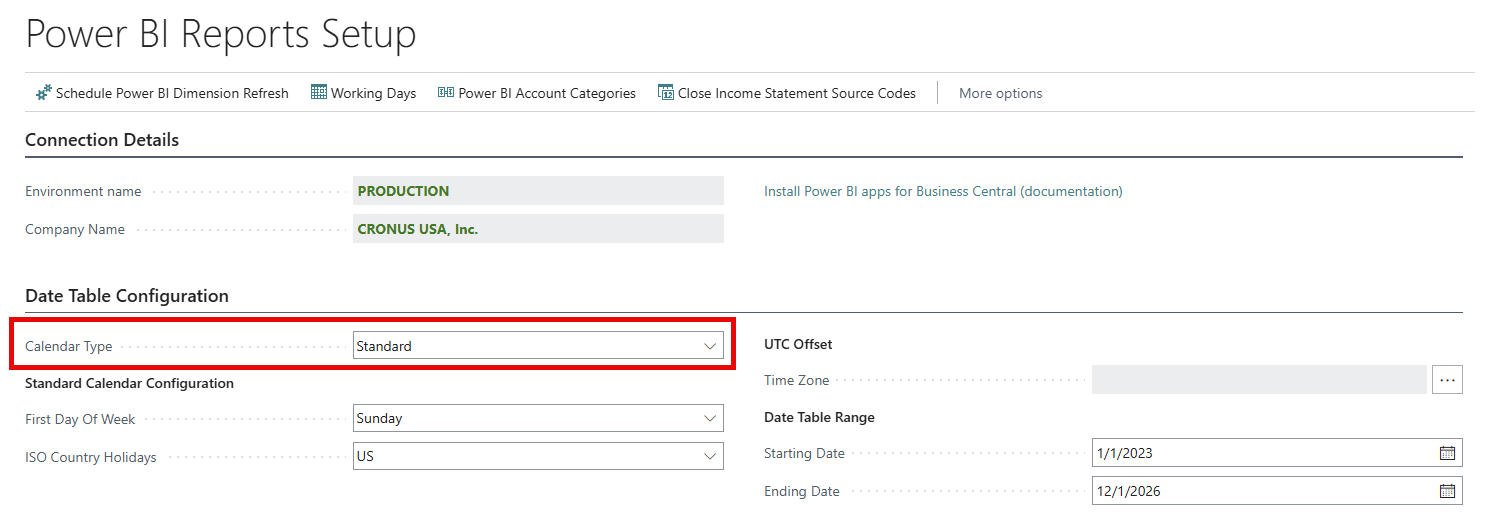
Configure the calendar type for a standard calendar
Setting Calendar Type field to Standard configures the Power BI date table to use a Gregorian month-based year structure. This structure means:
- Standard calendar years always begin in January.
- Standard calendar months align to Gregorian calendar month boundaries.
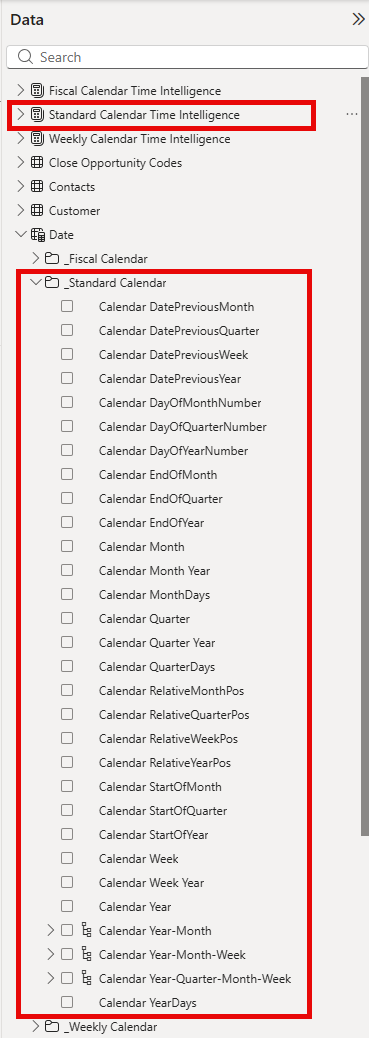
- Power BI reports should use the calendar fields, such as Calendar Year, Calendar Month, Calendar Quarter, and so on.
- You should use Standard Calendar Time Intelligence measures for period comparisons.
[Screenshot of the Standard Calendar Time Intelligence options.]
Related information
Power BI Subscription Billing app
Overview of subscription billing