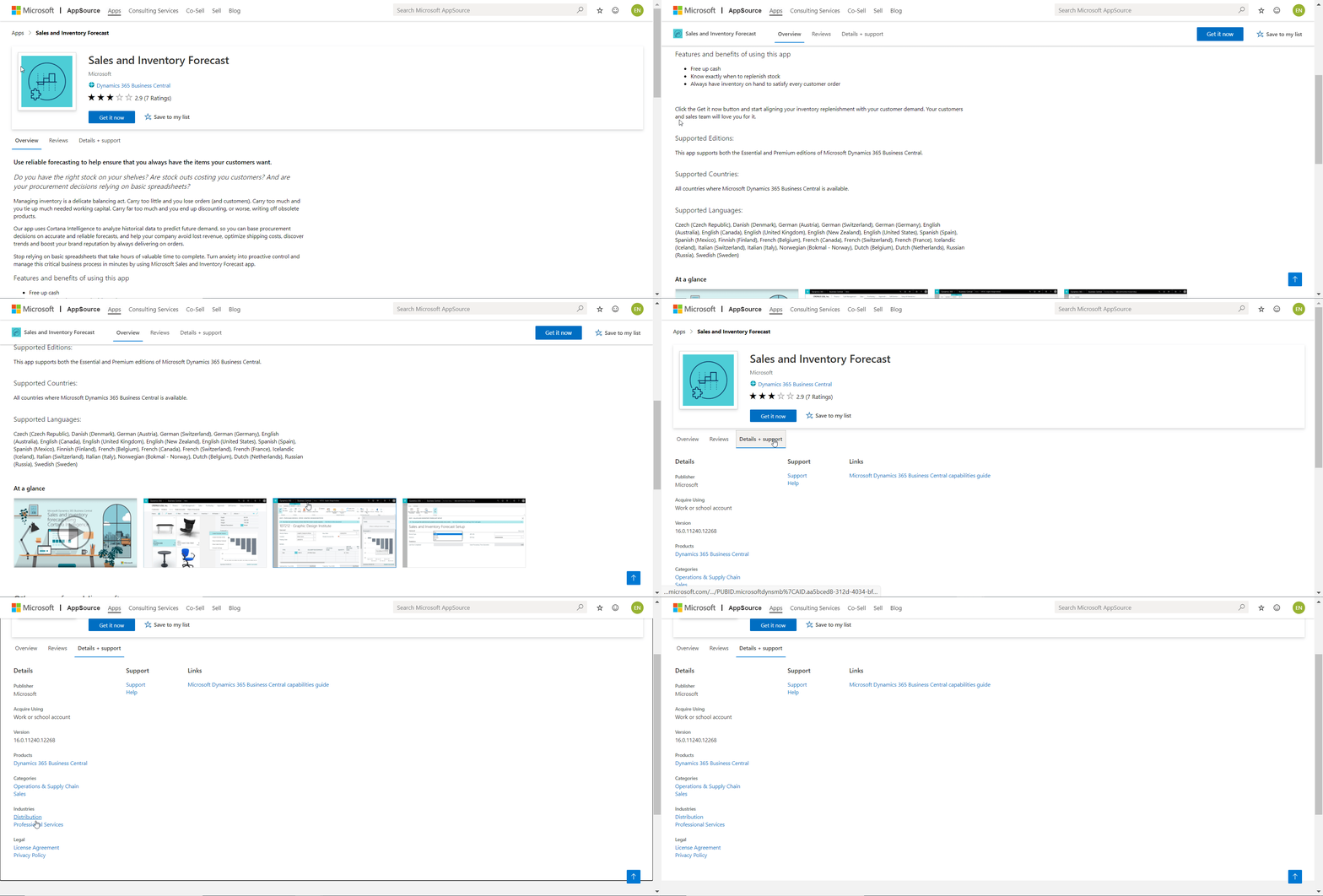
The storefront details on Marketplace are the first impression that prospects get regarding your offer. First impressions last, so make sure to invest some time in developing the content on the storefront, so it gives a good impression from the beginning. Failing to do so will jeopardize the hard work you put in, when developing your offer, likely leaving the prospect confused or looking elsewhere. Accordingly, we recommend you put in the time, effort and due diligence when developing this content.
You use Partner Center to submit your offer to Marketplace. In the following, you can find information on all the marketing-related items that you need to fill out in Partner Center prior to submitting your app to Marketplace. Follow this marketing validation checklist and get your app passed on the first submission.
Tip
Marketing validation is a manual process that is required for new offers or when the marketing details change on existing offers. As a publisher there is no way you can impact how fast the marketing validation process takes.
However, since marketing validation now only happens when marketing details are added or changed, you can ensure that you don't make such changes if it's important for you to get the submission through as quickly as possible, for example, when releasing a hotfix. Once that hotfix has passed the submit process and gone live, you can then submit a new version with required marketing details updated, and then await the validation process.
What do I need to know before I begin?
You need to have the following three items in mind, when you're creating your storefront and marketing material.
| Item | Requirement | Details |
|---|---|---|
| Branding | Make sure to read the branding guidelines carefully before you start referencing the product name. | Read more |
| Language | Discover what to consider for each storefront detail when it comes to language. | Read more |
| Microsoft images | Make sure not to use any Microsoft images (for example, the Business Central icon or Dynamics 365 logo). | Read more |
How do I fill out the marketing section in Partner Center?
The following section walks you through the marketing-related components, that is, offer setup, properties, offer listing, and availability, which you need to fill out in Partner Center prior to submitting your app to Marketplace.
Offer Setup
| Item | Requirement | Details |
|---|---|---|
| App type | Read more about the types of apps you can submit to Marketplace. | Read more |
| Listing type | How do you want potential customers to interact with your offer? | Read more |
| Customer leads | Provide connection details to the CRM system where you would like to send customer leads. | Read more |
Properties
| Item | Requirement | Details |
|---|---|---|
| Categories | Choose a primary, a secondary, and up to four subcategories. | Read more |
| Industries | Choose up to two industries for your offer. | Read more |
| App version | Specify the version number of your offer. | Read more |
| Terms and conditions | Outline the terms and conditions that the customer must accept before they can use your offer. | Read more |
Offer listing
| Item | Requirement | Details |
|---|---|---|
| Offer name | Enter a descriptive name for the offer. | Read more |
| Offer summary | A single sentence summarizing the purpose or function of the offer. | Read more |
| Description text | Make an elaborate and compelling description that outlines the benefits and usage scenarios of your offer (include supported editions, countries/regions, and languages). | Read more |
| Search keywords | Add search keywords to help users find your offer when they search in the marketplace. | Read more |
| Products your app work with | Add specific products that your app works with. | Read more |
| Help link | The link to your offer’s learning resources. | Read more |
| Privacy policy link | The link to your offer’s privacy policy. | Read more |
| Support link | The link to your offer’s support page. | Read more |
| Supporting documents | Add supporting sales and marketing assets such as white papers, brochures, checklists, or PowerPoint presentations. | Read more |
| Logos | Upload a large size logo file with dimensions between 216 pixels x 216 pixels and 350 pixels x 350 pixels. | Read more |
| Screenshots | Provide a minimum of three screenshots that showcase your offer. | Read more |
| Videos (optional) | Add up to four videos that demonstrate your offer. These should be hosted on an external video service. | Read more |
Availability
| Item | Requirement | Details |
|---|---|---|
| Markets (countries/regions) | Choose the markets that your app is available in (make sure that it resembles the supported countries/regions paragraph in the description text). | Read more |
| Hide key | The hide key is a token that is used to view the preview of your offer in Marketplace before going live. | Read more |