Project reporting in Business Central allows project and business professionals to get insights and statistics about current and past project activities.
Explore project reports with Report Explorer
To get an overview of available reports, choose All Reports on your Home page. This action opens the Report Explorer, which is filtered to the features in the Report & Analysis option. Under the Project heading, choose Explore. To learn more, go to Finding Reports with the Role Explorer.
[Example of reports on the sales role center.]
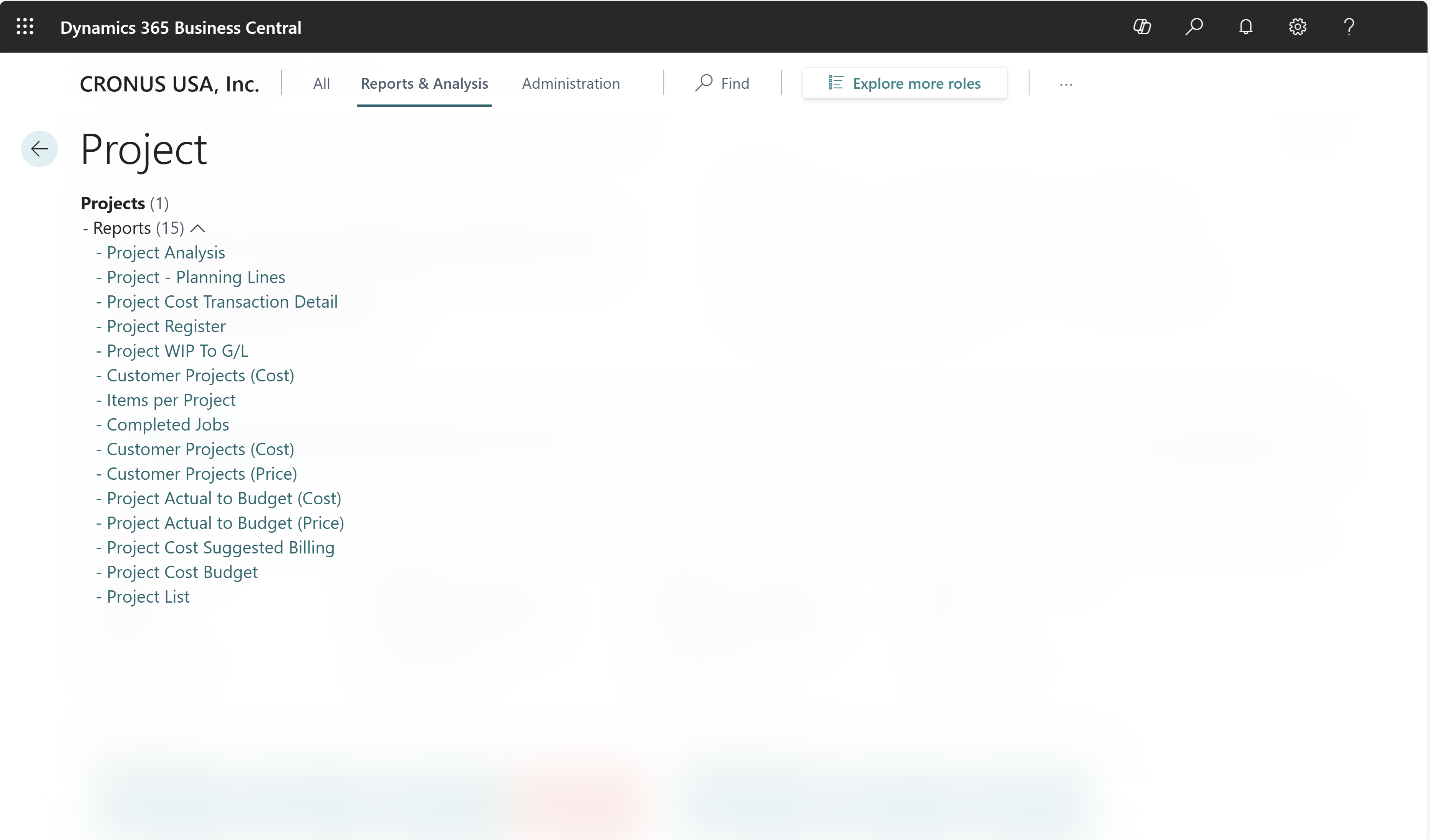
Project report overview
The following table describes the built-in reports in project management.
| To... | Open in Business Central (CTRL+select) | Learn more | ID |
|---|---|---|---|
| Review the results of posting before you post to the projects ledger. Edit the journal lines if there are errors to correct. | Project Journal - Test | About Project Journal - Test | 1005 |
| Get an overview of planning and tasks for a project. | Project Planning Lines | About Project Planning Lines | 1006 |
| Get an overview of posted transactions by project task, such as resource and item usage and sales. | Project Task Transaction Detail | About Project Task Transaction Detail | 1007 |
| Get a financial overview of your projects based on your input. | Project Analysis | About Project Analysis | 1008 |
| Get an overview of actual vs. budgeted amounts for selected projects. Note: This report isn't available in the US, Canada, and Mexico. Instead, use the Project Actual to Budget (Cost) (10210) or Project Actual to Budget (Price) (10211) reports. | Project Actual to Budget | About Project Actual to Budget | 1009 |
| Get an overview of posted work in process (WIP) for ongoing projects in your company's financial statements. | Project WIP to G/L | About Project WIP to G/L | 1010 |
| Get an overview of your projects, with focus on invoiced amounts and remaining amounts to invoice for each customer. Note: This report isn't available in the US, Canada, and Mexico. Instead, use the Project Cost Suggested Billing (10219) report. | Project Suggested Billing | About Project Suggested Billing | 1011 |
| Get an overview of all projects, with a focus on budget price, financial percentage of completion, and invoiced amounts for each customer. | Projects per Customer | About Projects per Customer | 1012 |
| Get an overview of the items you use in your project. | Items per Project | About Items per Project | 1013 |
| Get an overview of how you use items in your projects. | Project per Item | About Project per Item | 1014 |
| Document a project register's contents for internal or external audits. | Project Register | About Project Register | 1015 |
| Use the report when a project manager or sales representative needs to send a customer a formal quote for a project before work begins, showing the estimated cost broken down by task. | Job Quote | About Job Quote | 1016 |
| Use the report when a project manager or sales representative needs to send a customer a formal quote for a specific project task, showing planned lines and pricing before work begins. | Job Task Quote | About Job Task Quote | 1017 |
| Analyze resource data to ensure that it's accurate and up to date. | Resource – List | About Resource – List | 1101 |
| Document a resource register's contents for internal or external audits. | Resource Register | About Resource Register | 1103 |
| Analyze usage and sales amounts for each resource and check the percentage invoiced. | Resource Statistics | About Resource Statistics | 1105 |
| Analyze capacity and usage for each resource for a prior period and check the balance remaining to determine if each resource was underutilized or overutilized. | Resource Utilization | About Resource Utilization | 1106 |
| Analyze the direct and total costs for each resource in a period. | Resource - Cost Breakdown | About Resource - Cost Breakdown | 1107 |
Related information
Project management analytics overview
Project management overview